

Hallo to everyone !
I have an issue and I hope you can help me to solve.
I need to update a folder on a NAS, that was previously partially filled with a manual copy and paste procedure, from a folder in a Windows Server.
I want to add only the missing files to the NAS without touching those modified after the previous manual transfer.
Running the compare, I noticed that FFS would update some files that have the same "Date Modified" but "Date Created" newer (because previously manually copied and pasted).
Is there a way to configure the compare settings to consider ONLY the "Date Modified" and not the "Date Created" ?
Thank you
How to compare ONLY modified date ?
- Posts: 3
- Joined: 22 Jun 2021
- Posts: 1246
- Joined: 8 May 2006
You sure that's the case?Running the compare, I noticed that FFS would update some files that have the same "Date Modified" but "Date Created" newer (because previously manually copied and pasted).
Pretty sure a Date (& it is Date AND Size) comparison only looks at the Date Modified.
- Posts: 3
- Joined: 22 Jun 2021
Yes.. sure
- Posts: 1246
- Joined: 8 May 2006
> I want to add only the missing files to the NAS
Comparison method is File time and size?
You're doing an Update sync?
And FFS is showing that there are files on the left that will update (the same files) on the right?
And to be clear, it is showing that they will be updated (& not only displaying that they are equal)?
Can't duplicate here.
Win7 to Synology NAS.
I copy from Windows Explorer to the NAS.
I then jump to the NAS (via my Windows file manager) & manually modified the files Date Created to 1-1-1980.
FFS may display said files (if you have it set to) - as equal, but it does not want to update them.
Your file dates & sizes are the same.
Could daylight savings time be playing in?
Tell us about your NAS, file system, etc.
Comparison method is File time and size?
You're doing an Update sync?
And FFS is showing that there are files on the left that will update (the same files) on the right?
And to be clear, it is showing that they will be updated (& not only displaying that they are equal)?
Can't duplicate here.
Win7 to Synology NAS.
I copy from Windows Explorer to the NAS.
I then jump to the NAS (via my Windows file manager) & manually modified the files Date Created to 1-1-1980.
FFS may display said files (if you have it set to) - as equal, but it does not want to update them.
Your file dates & sizes are the same.
Could daylight savings time be playing in?
Tell us about your NAS, file system, etc.
- Posts: 3
- Joined: 22 Jun 2021
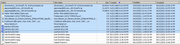
Please excuse me but I got confused. I did not notice that, on the right side, was indicated the absence of the file and not the difference. As if the file was not present on the NAS
This thing was strange: why FFS did not see the file ?
So i tried to compare two subfolders instead of the root and.. guess what..?
Everything works fine !
So I understood that issue was that I compare the NAS root network share with NTFS file system and, for some reason, FFS don't see anything.
Nas is a Synology DS-219 using BTRFS file system.
Thanks for your help and sorry again for the inconvenience
This thing was strange: why FFS did not see the file ?
So i tried to compare two subfolders instead of the root and.. guess what..?
Everything works fine !
So I understood that issue was that I compare the NAS root network share with NTFS file system and, for some reason, FFS don't see anything.
Nas is a Synology DS-219 using BTRFS file system.
Thanks for your help and sorry again for the inconvenience