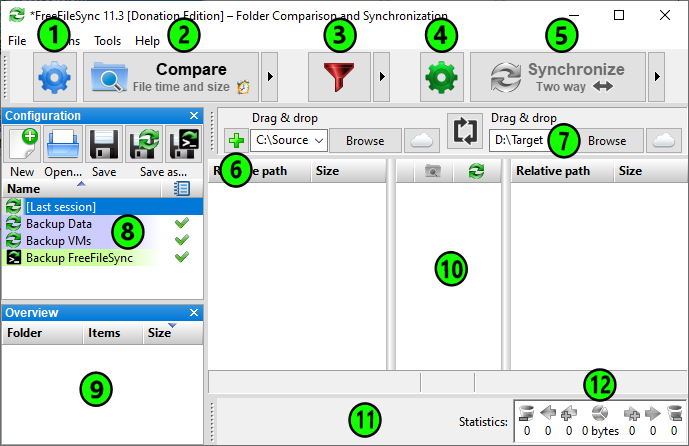
I want to exclude all files after comparing, because I only want to copy one or some files.
In version 10.9. I could right-click in the middle column (No. 10) and select "exclude all" from the context menu.
Is there a shortcut in version 10.10 that excludes all files or deactivates all checkboxes?
Thanks for asking this question - trick is not clear to new user. Also is thanks to developer.
Posts: 1
Joined: 26 Apr 2025
tayl3730
Can this feature (Uncheck All) please be added back in? I know there are work-arounds but it would be nice to have this functionality.
I have a folder of 20000 files or so, with, on occasion, about 200~300 files out of sync (in multiple folders) that I wish to manually / selectively sync. It would be much easier to scan the root folder and then scroll through the change list and add specific files/folders, rather than adding multiple sub-folders (which change from time to time) to sync one-by-one.